Bulin 47 AI Video Without Prompts: One Photo, Clear Creative Direction
Discover the power of a focused one-image workflow: no prompt writing, no model menu, saved device drafts and transparent 1, 3 or 7-video packs.
Preview: image preparation and Waffo payments are available. Public video generation remains closed during validation; purchasing does not unlock it.
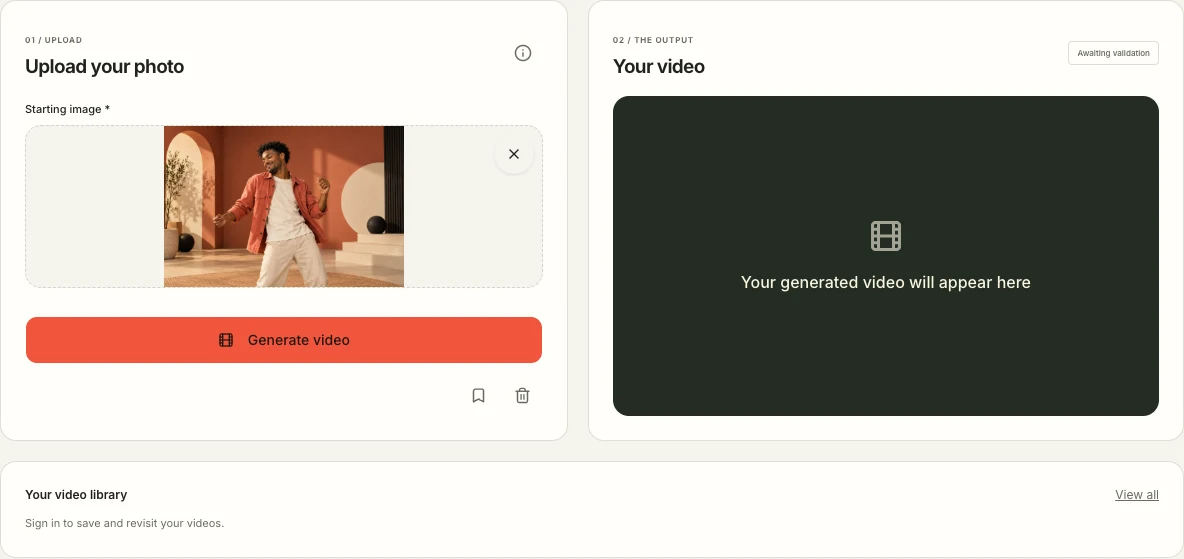
Bulin 47 AI video without prompts means you do not write the motion instructions yourself. You choose one image, while the product supplies a fixed creative direction and generation settings. That simplifies preparation without making every output detail predictable.
Bulin 47 AI video without prompts: what you prepare
One image. Zero prompt writing. A clear original-freestyle direction. That is the central strength of Bulin 47 Video. You do not need to turn an idea into a paragraph of camera instructions before preparing it in the studio.
The interface asks for a starting image. The product supplies the dance instructions, model and video settings. This makes the setup concise and easy to understand: your most important creative decision is the picture itself.
The studio currently supports preparation and device drafts while public generation remains closed during validation. Waffo video packs are available, but buying a pack does not unlock rendering. The approximately 20-second, 768P specification is a generation target awaiting completed-output acceptance.
What the product handles for you
The current workflow requests a close performance at a red-lit venue, with compact gestures and head turns. Your image and the fixed text go to H3; the site adds the authorized soundtrack afterward. It does not submit a reference video, a second pose image or audio to the model. Actual likeness, movement and timing still need review.
You do not choose a model, write a negative prompt, upload a source video or calculate a duration-dependent price. There is no hidden advanced prompt field. The workflow targets a vertical composition; its exact output dimensions must be inspected.
That focus is a concrete benefit for a creator who already knows the desired format: an original dance concept built around one image. The setup stays sharp, compact and purposeful. A general-purpose video editor offers different freedoms; our product concentrates on making this specific preparation flow straightforward.
What you still control
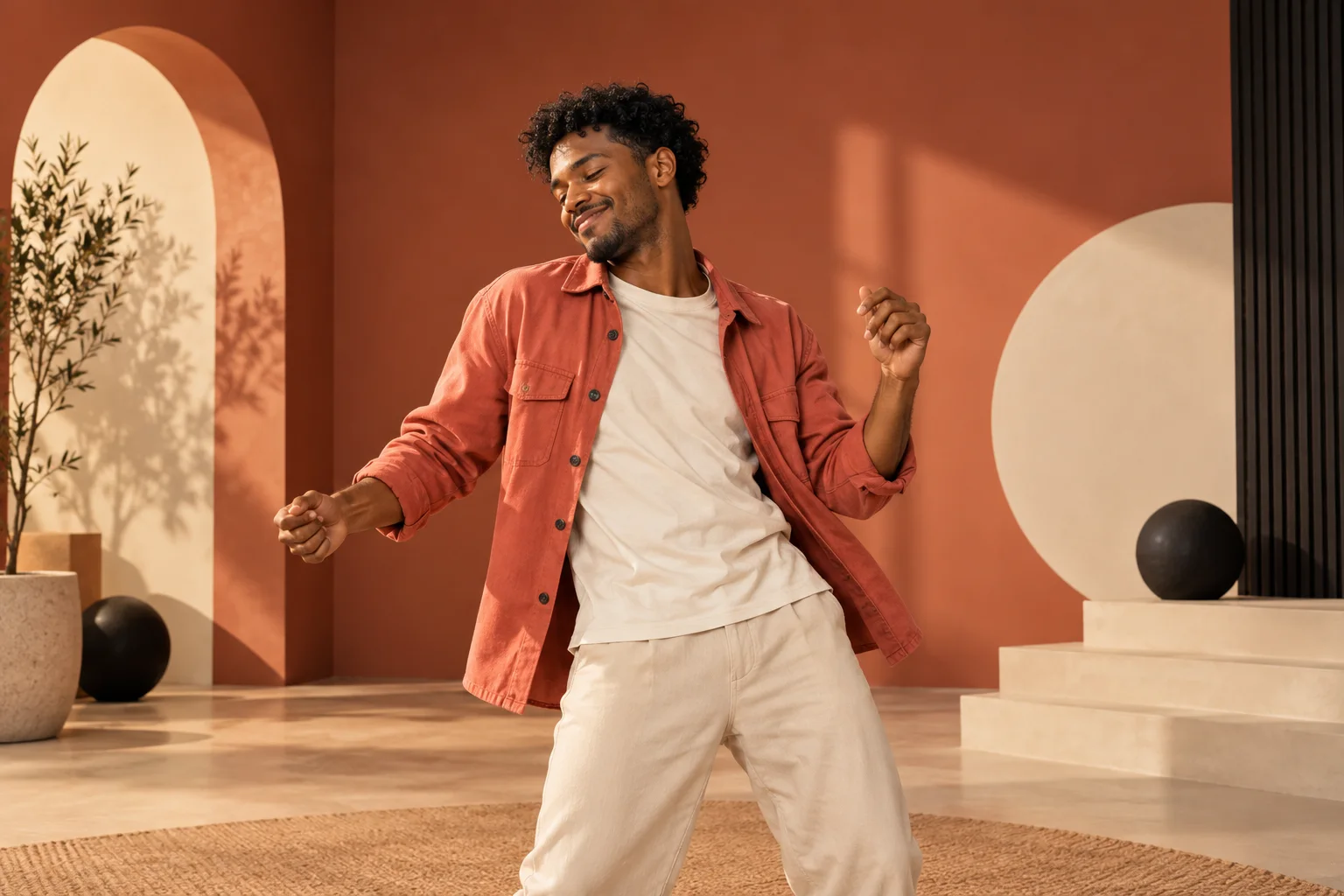
You control the visible starting material: the subject, outfit, colors, composition and orientation of the image you select. These choices can give two concepts very different personalities while using the same product-defined motion direction.
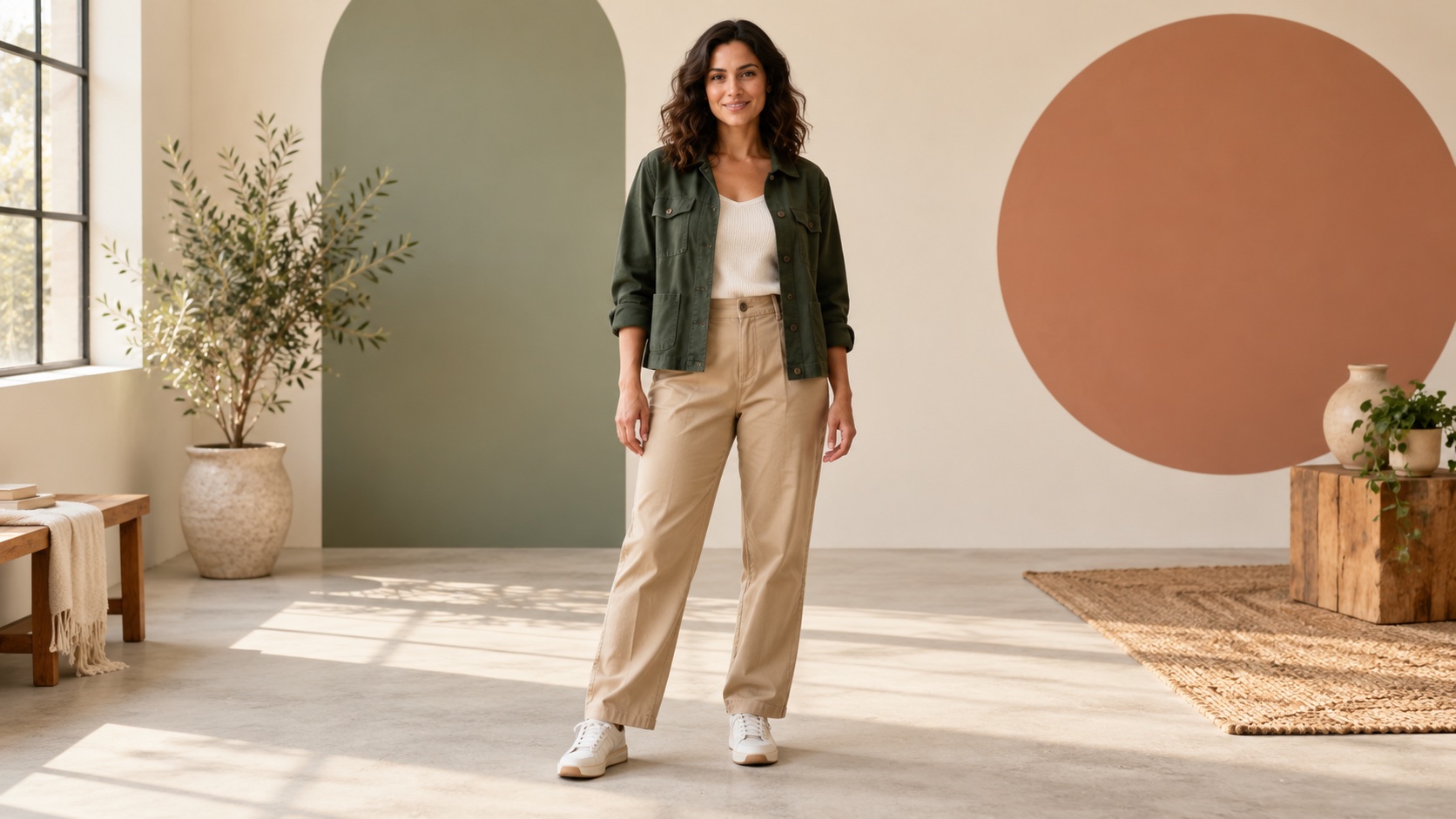
A coral jacket against a quiet backdrop feels different from a formal suit against a bright wall. A full-length portrait defines more of the wardrobe than a tight selfie. A portrait image establishes a different composition from a landscape image. Make those decisions before uploading.
Keep the starting photograph clear. Leave room around the head, shoulders and hands, avoid overlapping subjects and check that the face is readable. The photo guide explains these choices, and the creative ideas guide offers seven visual directions.
Save the preparation and come back with confidence
The device draft lasts 24 hours in the same browser. It lets you leave the upload to read a guide or compare pack quantities, then return to your preparation. The bookmark offers an explicit sign-in-and-save path; the × in the photo's top-right corner removes it from the local draft.
Keep the original image on your device as well. A browser draft is convenient working storage, not a backup service. Clearing browser data or switching devices can require selecting the image again. This distinction makes the workflow easier to manage: your source file is the original; the draft is the current preparation.
Use the information icon whenever you want the details. It supports desktop hover and keyboard focus, with a tap interaction on phones. Helpful explanations are available without filling the studio with parameter menus.
See the complete purchase in plain numbers
The three packs use video quantities you can understand immediately: one for $9.90, three for $19.90, or seven for $29.90. These are one-time purchases, with no automatic renewal and no expiry for purchased allowances.
The seven-video average is approximately $4.27, calculated from its $29.90 upfront total. The three-video average is approximately $6.63. You do not need to convert a menu of model-specific credit rates to compare this lineup.
That clarity is one of the product's strongest advantages. The pack guide shows the exact arithmetic, explains how a new variation uses an allowance, and separates failed-generation allowance restoration from cash refund requests.
Choose this workflow for a focused result
Choose Bulin 47 Video when the creative goal is one clear original-freestyle concept and you value a direct setup. If you need to reproduce a specific recording, upload a soundtrack or write custom choreography, those are different requirements from this product's current scope.
No-prompt preparation does not mean every generated detail is predictable. A full result still needs review for appearance, motion, sound and file playback. The benefit is removing setup decisions; output acceptance remains essential.
Bring a strong image. Let the product define the motion. Keep the creative process moving. Open the one-image studio, or compare workflows in our best Bulin 47 AI video generators guide.
What a fixed workflow does behind the simple upload
No-prompt refers to the user's preparation, not the absence of instructions. A video model still needs a description of the scene and movement. This product owns that description, so two users can start from the same creative setup without writing camera directions or assembling a detailed motion brief themselves.
The current workflow uses your photograph for the lead's appearance and written instructions for the performance. Your photograph is the only image sent to H3; the model receives no pose storyboard, reference video or audio recording. After the visual clip is generated, the site replaces the generated sound with the fixed authorized soundtrack. This sound step does not alter existing mouth shapes or guarantee synchronization.
You do not write those motion instructions or choose another soundtrack in the interface. The distinction matters when deciding whether this is the right product: you control the source person's visible appearance, while the service controls its movement and scene direction. If you need a different speech, a custom narrative or a particular hand sequence, this fixed workflow does not expose those creative controls.
Make the photo choice deliberate
Use the time saved on prompt writing to compare the image itself. Look at facial clarity, hair, clothing and any object covering the subject. A close upper-body portrait can communicate those details without making the face tiny. Keep the original file and use a clearly named upload copy so you can compare the right photograph with a later result.
After selecting the image, inspect the preview and upload state before assuming the preparation is complete. Saving a local draft, uploading to an account and submitting a task are different steps. The 24-hour draft helps you return in the same browser; it does not reserve a generation or establish that the server has accepted the file.
When you can generate, review the resulting person through turns and gestures. Simple preparation does not remove the need for that check. If you compare another photograph later, change one visible factor at a time so your own observations remain understandable. Avoid submitting several variations merely because an earlier task has not updated yet.