Review, Download and Share an AI Freestyle Video
Use a complete visual, audio and file checklist before sharing. Keep finished work separate from drafts, illustrations and reference clips.
Preview: image preparation and Waffo payments are available. Public video generation remains closed during validation; purchasing does not unlock it.

Before you review, download and share an AI freestyle video, separate the completed task from its thumbnail and your earlier draft. Approve the file you will publish by watching the entire movement, hearing the entire sound and opening the saved copy.
How to review, download and share an AI freestyle video
A finished video deserves a complete final check. Watch the entire clip, listen to its sound and open the downloaded file before posting. A thumbnail, concept image or few attractive frames cannot establish that the complete video is ready.
Bulin 47 Video's new workflow is still in validation. Public generation and delivery of new public renders remain closed; Waffo video-pack purchases are available but do not unlock rendering. This checklist explains the review process for a future completed output; it does not mean one has already been generated for you.
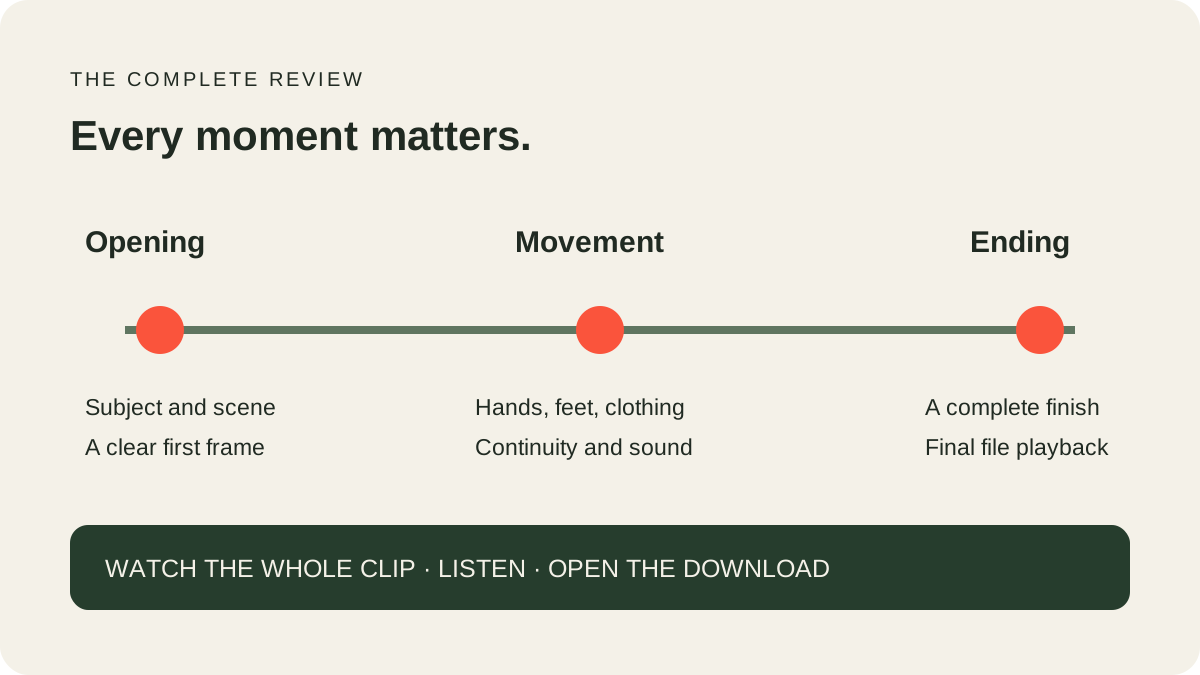
Check the beginning, middle and ending
At the beginning, confirm the subject and scene are clear. During motion, watch the hands, feet, clothing and background. Near the ending, check for a sudden visual change, an awkward cut or an unfinished action.
A dance clip can look convincing in one frame and behave differently during a turn. Pay special attention when limbs cross, hands pass the body or the subject moves near an edge. If the output is unsuitable, describe the exact moment rather than evaluating only the cover image.
Our product requests original freestyle motion and aims to preserve the starting subject's appearance, but it does not guarantee exact likeness, choreography or continuity. A passed automated check is not a human quality review.
Listen before you publish
Play the full clip with sound. Check for unexpected speech, abrupt audio or sound that conflicts with your intended use. The site does not provide voice cloning or a music catalog. Its current approximately 20-second, 768P workflow adds a fixed authorized soundtrack after video generation. Soundtrack presence does not establish lip sync, so inspect the relationship between the voice and visible movement.
If you add permitted audio later, review the new exported file as a separate result. Changing a soundtrack does not automatically change mouth movements to match different words. Follow the destination platform's current rules and the permissions relevant to your account and intended use.
Read the audio guide for the difference between a visual check, a soundtrack and the rights to use a recording.
Download and verify the actual output
When a completed task is available in the account library, use its provided download action and observe any retention or expiry notice. Open the saved file on the device where you plan to use it. Check that it plays from start to finish and that the sound behaves as expected.
Inspect actual duration, width and height if they matter to your project. Approximately 20 seconds and 768P are this workflow's targets, not a substitute for inspecting the new file. A filename or stream label alone does not prove complete playback.
Keep a copy of the final file somewhere you control. Non-expiring video entitlements do not mean media is retained forever, and a local image draft is not a video backup. The Privacy Policy and current account notices describe storage and retention terms.
Separate a new take from a recovery
If a task is delayed, inspect the existing record before creating another. Resubmission can be a separate paid request rather than recovery of the first. If a completed result simply needs a different creative direction, another variation uses another allowance.
Confirmed technical failures restore the affected allowance according to the published terms. Cash refunds follow the separate refund policy. Keep the order or task reference for support, but do not publish private access links or credentials in a report.
Share with clear context
Describe synthetic content honestly and use any required AI label. Do not imply that a real artist endorsed the clip or that an identifiable person performed something they did not. Obtain appropriate permissions for your image and any later sound or edits.
Our site does not offer face replacement, real-person impersonation or reference-video generation. Its purpose is a focused original-motion workflow from your image. Keep the idea original, the file checked and the context clear.
For harmful or infringing content, use the public report channel. Reports are acknowledged within two business days, with an outcome usually provided within five business days; urgent risks receive priority.
Planning the post itself? Our TikTok and Reels guide adds visual-hook, caption and cover-image preparation.
Keep a short review record for the actual result
Use four observations rather than a single overall impression. First, compare identity: face, hair, clothing and body proportions against the uploaded image. Second, inspect movement: turns, hands, overlaps and the ending. Third, listen to the complete audio and check whether visible mouth movement fits it. Finally, open the downloaded file and confirm playback through the final frame.
Write down any defect with its approximate time. “Hair changes at the left turn” is more useful than “not similar.” “Audio disappears in the last second” is more useful than “sound is bad.” If several issues occur, keep their notes separate. A clip can have a recognizable person yet still have unsuitable timing, and a well-timed gesture cannot compensate for the wrong face.
Use the same review standard for every version. If you edit a caption, change the soundtrack or crop the frame afterward, the exported file becomes a new deliverable to check. Do not assume an edit preserved all earlier properties just because the first frame looks identical. Replay it at normal speed, with sound enabled, on the device where the final audience will see it.
Decide whether to keep, edit or report
Keep a result when its appearance, motion, sound and file behavior fit your intended use. Edit it when the change is something an ordinary editor can reasonably address, such as caption placement or a delivery crop. Report a problem when the task, allowance or delivered file appears inconsistent with the service's stated behavior.
Those decisions do not need to happen at the same time. You can save the original file while considering a caption, or report a broken download before deciding whether the performance is creatively suitable. Preserve the task reference and original upload for comparison, but share private media only through the appropriate support route. A public social post is not a good place to expose an account's private download URL.
Before sharing with another person, check that the attachment is the finished video rather than a source photograph, an old test or a screenshot of the player. A clear filename and a full final playback are simple safeguards against handing off the wrong asset.
Frequently asked questions
Is an attractive still frame enough to approve a video?
No. Watch the entire motion and listen to the full sound track.
Does the site offer a finished public example of this new workflow?
Not yet. Editorial concept images are labeled illustrations and are not generation evidence.
Can I keep the downloaded file forever?
Keep your own copy subject to applicable rights. Website media retention is governed separately by the current policy and account notices.
Does a failed download mean I should generate again?
Check the existing task and available recovery first. A new generation is a separate request.
Does credit restoration equal a cash refund?
No. They are separate processes with published terms.
Where do I go next?
Use the one-photo walkthrough, image tool and current pricing. Public generation remains closed during validation.